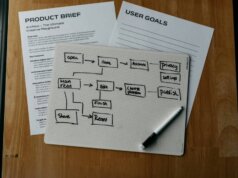

AI agents for small business stopped being an experiment in 2026. Instead of answering questions, they take on work: a new lead arrives, the agent qualifies it, drafts the follow-up, books the call and updates the CRM — while the owner is on the shop floor. For lean teams, that shift matters more than any chatbot demo.
This guide explains what these agents actually do, where small companies see value first, how the three deployment routes compare, and how to roll one out in 30 days without breaking your operations.
What an AI agent actually does
An agent is software that reads an incoming event, decides what action is needed, executes it with your tools, and reports back. The difference from classic automation is judgement: a workflow follows fixed rules, an agent chooses the next step based on context.
- Input: an email, a form submission, a support ticket, an overdue invoice.
- Decision: classify, prioritise, and pick the right action from an allowed set.
- Action: reply, create a task, update a record, schedule a meeting.
- Guardrails: spending limits, approval steps, and a human handoff when confidence is low.
Where small businesses get value first
1. Sales follow-up
The fastest payback. Agents respond to inbound enquiries within minutes, qualify with two or three questions, and book directly into the calendar. Speed-to-lead is one of the few levers that improves conversion without extra spend.
2. Support triage
Most small support inboxes hold a handful of repeating questions. An agent answers the routine ones, tags the rest, and routes anything sensitive to a person with the context already gathered.
3. Back-office admin
Invoice chasing, data entry between tools, quote generation and document filing are repetitive, rule-bounded and easy to verify — ideal first targets because mistakes are visible and reversible.
4. Scheduling and no-shows
Agents confirm appointments, resolve scheduling conflicts and send reminders in the customer’s language, recovering revenue that used to leak through no-shows.
Three ways to deploy
- No-code agent builders. Platforms such as Activepieces or Lindy let you describe the task and connect apps visually. Fastest to launch, best for teams without developers.
- CRM-native agents. If your pipeline already lives in Salesforce or HubSpot, their built-in agents (Agentforce, Breeze) arrive with your data and permissions wired in. Less flexible, far less integration work.
- Custom builds. Maximum control, maximum maintenance. Sensible only when the process is a genuine differentiator or when data cannot leave your infrastructure.
What it costs
Pricing models vary widely: per-seat subscriptions, per-task credits or usage-based API billing. For a small business the practical approach is to set a fixed monthly ceiling, start with one process and measure hours returned before expanding. Agents that touch customer conversations carry higher platform costs than internal admin ones.
How to choose without wasting a quarter
- Start with one process, not a department. Pick something with a clear trigger and a measurable outcome.
- Check the integrations before the feature list. An agent that cannot reach your calendar or CRM is a demo.
- Demand human handoff. Every serious platform lets you define when a person takes over.
- Test the failure mode. Ask what happens when the agent is unsure — silence is worse than an escalation.
- Keep your data clean. Agents amplify whatever is in your records, including duplicates and stale prices.
A 30-day rollout plan
- Week 1 — map the process. Write down the trigger, the decisions, the tools involved and what “done” looks like.
- Week 2 — shadow mode. Let the agent draft actions but require approval before sending.
- Week 3 — narrow autonomy. Allow automatic execution for the safest 60–70% of cases.
- Week 4 — review and extend. Compare accuracy against the manual baseline, then add the next process.
Frequently asked questions
Do I need a technical team to run an AI agent?
No. No-code builders cover most small-business use cases; the real requirement is a clearly documented process and someone accountable for reviewing outputs.
Will an agent replace my staff?
In practice it removes repetitive tasks. The teams that benefit most reassign saved hours to sales conversations and customer relationships.
How do I measure success?
Pick two numbers before launch, such as response time to new leads and hours spent on admin per week, and compare after four weeks.
The bottom line
AI agents for small business work best as narrow, supervised employees: one process, clear guardrails, measurable output. Start where the pain is repetitive and the result is visible, then expand once the numbers justify it. For the infrastructure story behind this shift, see our analysis of AI infrastructure investment.

MKTPlace is a leading digital and social media platform for traders and investors. MKTPlace offers premiere resources for trading and investing education, digital resources for personal finance, news about IoT, AI, Blockchain, Business, market analysis and education resources and guides.